Showing posts with label Linux. Show all posts

Monday, 6 June 2022

CentOS 4 on PCem Pentium 75 - System Information

CentOS 4.0 GNOME desktop on a PCem Pentium 133

CentOS

CentOS was a freely available version of Red Hat Enterprise Linux (RHEL), which followed the upstream RHEL updates and removed any non-free IP from the packages.

Red Hat developed a commercial Linux in the form of Red Hat Linux (also known as Red Hat Commercial Linux), which developed a stable long term support distribution in the form of Red Hat Enterprise Linux (RHEL), which includes components not covered by free licenses. To provide a community Linux which wasn't constrained by enterprise concerns, the Red Hat Linux line was replaced with Fedora Linux. Fedora Linux provides a Red Hat style distribution nearer the bleeding edge than RHEL and isn't encumbered by non-free licenses. This change meant that many users were faced with a decision... to switch to Fedora and cope with the more dynamic nature of the project, or pay for RHEL to get long term stability.

Since RHEL was based on opensource, a number of projects sprung up that took the free parts of RHEL, removed any branding or other encumbered property, and repackaged them into new distributions (see Red Hat Enterprise Linux derivatives - Wikipedia). CentOS was one of these projects and provided an RHEL compatible distribution that lagged a little bit behind RHEL release and updates, and was freely available. While CentOS has since been acquired by Red Hat, and its role (as CentOS Stream) has changed to being upstream of RHEL, we're going to be looking at a version from not long after Red Hat Linux was discontinued.

CentOS 4

RHEL 4 was released on 15-Feb-2005 and was based on Fedora Core 3 (8-Nov-2004). With the corresponding CentOS 4 being released a little later on 9-Mar-2005. Based on the Linux 2.6 kernel (see Introducing the 2.6 Kernel | Linux Journal), this was a jump from previous RHEL and CentOS releases which had used the Linux 2.4 kernel.

Older CentOS releases are available for download from: https://wiki.centos.org/Download.

Friday, 27 May 2022

Linux for ARM on QEMU (virt) - System Information

Linux for ARM

Processor designs from Arm Ltd. are used in a plethora of microprocessors and SoC (System on a Chip) components. Which power a wide range of devices including: smartphones, tablets, PDAs, network routers, NAS systems, set-top boxes, etc. Some (non-exhaustive) lists of devices using the ARM architecture can be found in:

The initial port of the Linux kernel to ARM began back in 1994, then targeting an Acorn A5000 running RISCOS, and grew from there through to being part of the mainline Linux kernel.

The use of ARM cores in microprocessors, microcontrollers and SoC devices, for many different vendors, meant that supporting Linux on a device would often require a specific kernel built for that specific device. This limited the availability of general purpose Linux distributions, while making vendor specific embedded Linux kernels common. Fortunately since most user-space applications use the kernel abstractions to access devices, the same user-space can be used with any kernel built for the same flavor of the architecture (see ArmPorts - Debian Wiki).

Support for a selection of ARM based systems ('arm') appeared in the Debian GNU/Linux 2.2 (`potato') release in 2000. The current Debian Linux 11 (bullseye) supports ARM through the 'armel', 'armhf' and 'arm64' (aka. 'aarch64') ports.

QEMU

The diversity of devices using the ARM processor means the QEMU system emulators for ARM provide a large number of emulated systems, with the QEMU 5.2.0 build I'm using listing 90 systems for the 64-bit system emulator (qemu-system-aarch64), and 84 for the 32-bit system emulator (qemu-system-arm). While most systems appear in the lists for both emulators (suggesting they could be implemented with 32-bit or 64-bit processor cores) a small set of systems are 64-bit only.

While most of the available systems correspond to physical hardware, the "QEMU ARM Virtual Machine" system ('virt') is a virtual system based on the use of paravirtualized devices. This provides performance improvements, particularly for I/O, and is useful for software development and testing, for cases where specific hardware features are not required.

Wednesday, 25 May 2022

RedHat Linux 7.3 (Valhalla) on PCem Pentium 75

Red Hat Linux 7.3 GNOME desktop

RedHat Linux

Initially established back in 1994, Red Hat (Wikipedia) is a commercial Linux vendor known for the RedHat Linux, Red Hat Enterprise Linux (RHEL) and Fedora Linux distributions.

RedHat Linux 7.3 (Valhalla) was released in 2002, and supported i386 through early Pentium 4 systems (the Intel Core based processors didn't ship until 2006). So it is suitable for comparing our physical Intel Pentium system (tilia) and the PCem emulated equivalent.

Earlier Releases

A couple of earlier Red Hat Linux releases are described on the same PCem system in:

It is interesting to see the evolution of the Red Hat Linux distribution over these releases.

PCem

The IBM PC and compatibles emulator PCem supports a range of PC system, from the original Intel 8088 based IBM PC through to a early 2000s slot 1 based Pentium II system. This includes a couple of systems featuring the Intel 430fx chipset which makes them equivalent to our physical system.

So the target emulated hardware is:

MainboardIntel Advanced/ZP (Zappa); Intel Triton 82430FX PCIset aka. 430FX
CPUIntel Pentium 75
RAM72 MiB (128 MiB max.)
Floppy3.5" 2.88MB
StorageIDE Controller Intel 82371FB aka. PIIX, ATA-2 16 MB/s
IDE hard disk 2048 GB
ATAPI CD-ROM drive
VideoS3 Trio64 based VGA
Network10Mb/s ethernet ISA

Monday, 23 May 2022

Linux for PowerPC on QEMU (g3beige) - System Information

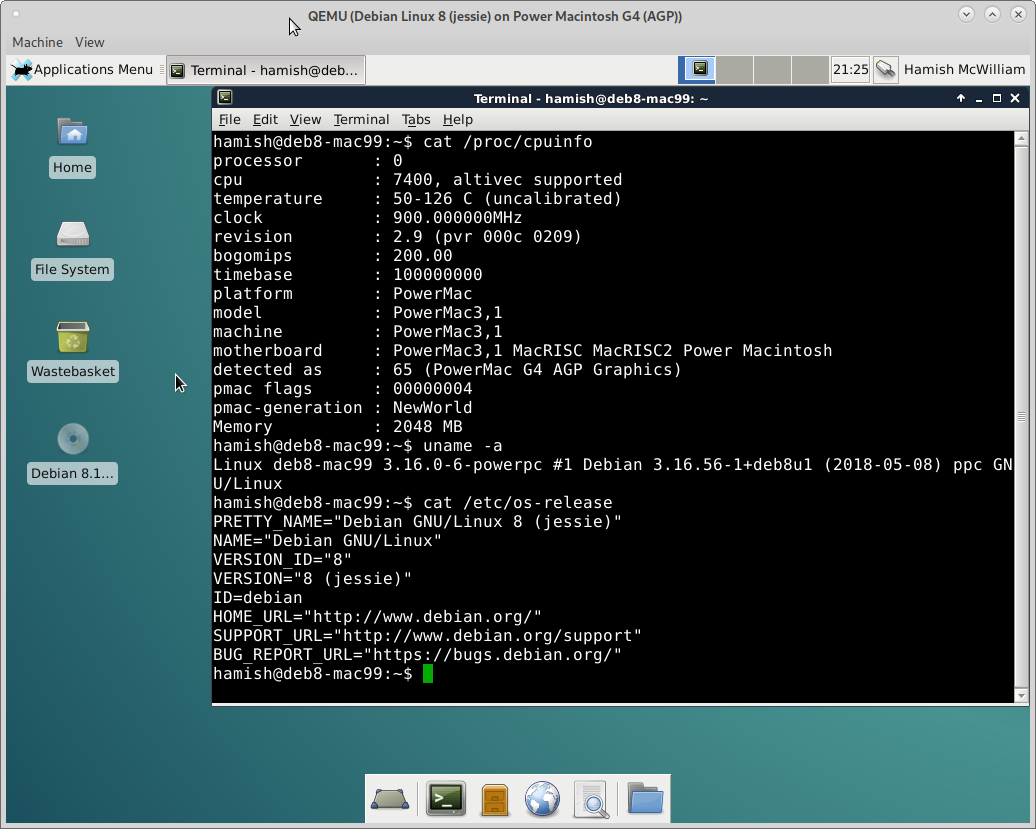
QEMU g3beige running Debian Linux 8 with XFCE desktop

QEMU & Linux for PowerPC

A recent post (see Linux for PowerPC on QEMU (mac99) - System Information) looked at Linux on QEMU's 'mac99' machine, an emulation of an Apple PowerMac G4 (AGP Graphics). But what about QEMU's other Power Macintosh system?

QEMU

QEMU provides an emulation of the older, Apple Power Macintosh G3 ("beige").

Checking Apple Support, EveryMac.com, Wikipedia the hardware specification for the 'g3beige' would be:

SystemApple Power Macintosh G3 ("beige")
Mac FirmwareOldWorld
CPUPowerPC 750 @ 233, 266, 300, or 333 MHz; upgrade to G4 @ 350 or 400 MHz
RAM32, 64 or 128 MiB (768 MiB max.)
BusPCI
Storagebuilt-in IDE controller; 128GB max. HD
built-in SCSI controller
4GB SCSI, 2x 4GB SCSI or 8GB IDE hard disk(s)
24x ATAPI/IDE CD-ROM
Floppy3.5" 1.44MB
VideoATI 3D Rage II+, ATI 3D Rage Pro, or ATI 3D Rage Pro Turbo, 6 MiB VRAM
AudioWhisper or Wings personality card
Networkbuilt-in RTL-8029(AS) 10 Mb/s 10baseT ethernet
Keyboard & MouseADB

Third-party processor upgrades offered higher spec. G3 and G4 options. Since the emulation will determine the processor speed, we'll go with the default processor.

Emulation Command

For reference the QEMU command used:

qemu-system-ppc \
    --machine g3beige \
    -hda hda_DebianLinux_g3beige.qcow2 \
    -cdrom debian-8.11.0-powerpc-DVD-1.iso \
    -g 1024x768x8 \
    -net nic \
    -net "user,guestfwd=:10.0.2.1:22-cmd:netcat 127.0.0.1 22,hostfwd=::2222-:22" \
    -kernel vmlinux-3.16.0-6-powerpc \
    -initrd initrd.img-3.16.0-6-powerpc \
    -append 'root=/dev/sda3' \
    -name 'Debian Linux 8 (jessie) on Power Macintosh G3 (Beige)'

Note that due to issues with the boot loader, a kernel and ramdisk extracted from the installed system are used to start the system.

Saturday, 21 May 2022

Mandrake Linux 7.2 (Odyssey) on PCem Pentium 75

Mandrake Linux 7.2 KDE desktop

Mandrake Linux

Initially established back in 1998, MandrakeSoft (Wikipedia) was a commercial Linux vendor known for the Mandrake Linux distribution (Wikipedia), after a merger with the Brazilian Linux distribution Conectiva and a dispute over rights to the "Mandrake" name, the company and their Linux distribution changed name from Mandrake to Mandriva.

Mandrake Linux is notable for many improvements to desktop Linux distributions, including improvements to hardware detection and handing, and the use of a graphical installation process. Mandrake was also a pioneer in optimizing their Intel x86 distribution for Pentium or higher processors.

Mandrake Linux 7.2 was released in 2000, and so was a competitor with Red Hat Linux 6.2, and supported Pentium through early Pentium III systems (the Intel Pentium 4 didn't ship until November that year). So it is suitable for comparing our physical Intel Pentium system (tilia) and the PCem emulated equivalent.

PCem

The IBM PC and compatibles emulator PCem supports a range of PC systems, from the original Intel 8088 based IBM PC through to a early 2000s slot 1 based Pentium II system. This includes a couple of systems featuring the Intel 430fx chipset which makes them equivalent to our physical system.

Basing our desired system on tilia and the PCem devices, the target emulated hardware is:

MainboardIntel Advanced/ZP (Zappa); Intel Triton 82430FX PCIset aka. 430FX
CPUIntel Pentium 75
RAM72 MiB (128 MiB max.)
Floppy3.5" 2.88MB
StorageIDE Controller Intel 82371FB aka. PIIX, ATA-2 16 MB/s
IDE hard disk 2048 GB
ATAPI CD-ROM drive
VideoS3 Trio64 based VGA PCI
Network10Mb/s ethernet ISA or 100Mb/s ethernet PCI

Friday, 20 May 2022

Linux for PowerPC on QEMU (mac99) - System Information

QEMU mac99 running Debian Linux 8 - XFCE desktop

Linux for PowerPC

Back in the 1990s Apple, IBM and Motorola (Wikipedia) got together and created the PowerPC architecture (Wikipedia), which would be used in IBM's RS/6000 series systems, Apple's Power Macintosh systems and many Motorola products, including desktop computers and embedded processors. Apple's short lived licensing of Macintosh clones during the mid-1990s, Microsoft Windows NT supporting PowerPC (alongside Alpha, MIPS, and x86), and Apple supporting MkLinux development, drove additional interest in the platform and saw production of affordable PowerPC desktop computers.

While IBM would continue development of PowerPC into their 64-bit POWER architecture, Apple had cut-off the Macintosh clone business in 1997, and then Apple switched away from PowerPC in 2006. Leaving a lot of PowerPC based hardware in circulation, with few operating system options remaining.

Linux on PowerPC has a long, and somewhat complex history, with initial work beginning in 1994, the first Linux distributions appearing in 1996, and PowerPC support being integrated in the mainline Linux kernels with Linux 2.2 in 1999. While the PowerPC architecture has been sunset by many distributions, a few remain.

Debian Linux

Debian added support for PowerPC to its Linux distribution in 2000 with the release of Debian GNU/Linux 2.2 (potato), and while official support for 'powerpc' (32-bit PowerPC and 64-bit big-endian PowerPC) ended in 2020 with Debian 8 (jessie), Debian ports continues to make unstable/testing builds for the 'powerpc' architecture, and has official releases for the 64-bit POWER based systems ('ppc64le').

In the interests of simplicity, reproducibility and ease of comparison, I'm going to use Debian Linux 8 (jessie) for PowerPC, since it has a DVD image available, which means the lack of online repositories won't be a problem and we don't have to consider package version variation.

QEMU

The widespread use of PowerPC processors in computers and embedded systems has driven a need for emulators capable of supporting development and testing for those platforms. The QEMU emulator includes a wide range of processor and system emulations for PowerPC processors, making it a excellent options for these roles at minimal cost.

Monday, 16 May 2022

RedHat Linux 6.2 (Zoot) on PCem Pentium 75

RedHat Linux 6.2 on PCem

X Windows desktop for Red Hat 6.2 (zoot) running on PCem

RedHat Linux

Initially established back in 1994, Red Hat (Wikipedia) is a commercial Linux vendor known for the RedHat Linux, Red Hat Enterprise Linux (RHEL) and Fedora Linux distributions.

RedHat Linux 6.2 was released in 2000, and supported i386 through early Pentium III systems (the Intel Pentium 4 didn't ship until November that year). So it is suitable for comparing our physical Intel Pentium system (tilia) and the PCem emulated equivalent.

PCem

The IBM PC and compatibles emulator PCem supports a range of PC systems, from the original Intel 8088 based IBM PC through to a early 2000s slot 1 based Pentium II system. This includes a couple of systems featuring the Intel 430fx chipset which makes them equivalent to our physical system.

Basing our desired system on tilia and the PCem devices, the target emulated hardware is:

MainboardIntel Advanced/ZP (Zappa); Intel Triton 82430FX PCIset aka. 430FX
CPUIntel Pentium 75
RAM72 MiB (128 MiB max.)
Floppy3.5" 2.88MB
StorageIDE Controller Intel 82371FB aka. PIIX, ATA-2 16 MB/s
IDE hard disk 2048 GB
ATAPI CD-ROM drive
VideoS3 Trio64 based VGA
Network10Mb/s ethernet ISA

Saturday, 14 May 2022

Notes on OpenSSL Performance

OpenSSL

OpenSSL can use three different implementations of the cryptographic methods, providing different performance tiers:

  1. Portable C-based methods: most portable but typically the slowest.
  2. Processor family assembler based methods: faster but less portable, and may have problems on some processor compatible implementations
  3. Methods utilizing hardware acceleration: typically the fastest option, but has specific hardware requirements

A simple compile time option ('no-asm') disables the assembler implementations used by default, so a. & b. are simple to test. For c. appropriate hardware is required. Fortunately three of the options supported by OpenSSL are available to us:

  1. VIA PadLock (Wikipedia): as implemented in the VIA C3 Nehemiah processors (Wikipedia)
  2. Intel Advanced Encryption Standard New Instructions (AES-NI; Wikipedia): implemented on Intel x86_64 since 2010 and AMD x86_64 processors since 2011
  3. Intel SHA extensions (SHA Ext.; Wikipedia): implemented on Intel x86_64 processors from 2016 and AMD Ryzen from 2017

To illustrate the effect on performance a set of methods have been selected which show the effects of each type of implementation.

Using the results for 8,192 byte blocks:

VIA Luke @ 1.0 GHz
OpenSSL 1.1.0l on Debian Linux 11 for x86
MethodAES-256 CBCIDEA CBCMD5SHA-1SHA-256SHA-512
no-asm6,916.78k9,684.21k80,191.49k36,410.71k12,064.09k1,832.28k
asm11,122.01k9,661.10k106,332.16k45,978.97k21,534.04k9,393.49k
Kerneld,e11,127.92k9,655.64k104,336.04k45,566.63k21,515.64k9,374.38k
Padlockb520,596.10k9,662.71k104,357.28k45,472.50k21,460.31k9,376.82k
OpenSSL 3.0.2 on Debian Linux 11 for x86
MethodAES-256 CBCIDEAa CBCMD5SHA-1SHA-256SHA-512
no-asm6,916.47k9,662.71k78,665.19k36,050.26k12,125.81k1,829.55k
asm11,127.47k9,655.64k103,931.19k45,509.29k21,493.73k9,368.92k
Kerneld2,033,909.76k9,627.65k104,328.02k45,512.02k21,442.15k9,366.19k
Padlockb515,844.78k9,658.37k103,765.33k45,520.21k21,435.73k9,368.92k
AMD Ryzen 5 3600
OpenSSL 1.1.0l with Debian Linux 11 for x86_64
MethodAES-256 CBCIDEA CBCMD5SHA-1SHA-256SHA-512
no-asm212,366.68k119,010.65k749,469.70k845,922.30k307,301.03k553,937.58k
asm232,721.07k119,545.86k793,971.37k1,050,842.45k470,701.40k604,972.40k
AES-NI & SHA Ext.1,086,559.57k119,250.94k790,495.23k1,027,295.91k470,671.36k605,863.94k
Kerneld,e1,092,332.20k120,416.94k787,464.19k1,029,693.44k475,791.36k601,159.00k
OpenSSL 3.0.2 with Debian Linux 11 for x86_64
MethodAES-256 CBCIDEAa CBCMD5SHA-1SHA-256SHA-512
no-asm210,668.20k117,587.97k740,698.79k832,288.09k310,059.01k559,205.03k
asmc1,097,910.95k119,048.87k789,848.06k1,036,997.97k473,503.06k599,274.84k
Kerneld37,086,822.40k120,220.33k793,990.49k1,041,334.27k474,685.44k598,278.14k

Notes:

  1. In OpenSSL 3.0.2 access to the IDEA method requires use of the legacy provider (to use without installing $ LD_LIBRARY_PATH=`pwd` apps/openssl speed -provider-path ./providers/ -provider legacy -provider default idea)
  2. The OpenSSL PadLock engine only supports AES on our VIA Luke (C3 Nehemiah) based system, more recent versions of the VIA PadLock hardware provide additional methods, including SHA
  3. On systems that support AES-NI and/or SHA Ext. the standard assembler implementations in OpenSSL 3.0.2, detect and use the instruction set extensions to accelerate the methods
  4. The OpenSSL 'afalg' engine (used for "Kernel") uses the Linux Kernel Crypto API (AF_ALG) to access the methods in the Linux kernel, which make use of hardware acceleration and processor features beyond those used by the standard assembler implementations in OpenSSL
  5. The OpenSSL 1.1.0 implementation of the 'afalg' engine only supports use of the kernel methods for AES-128-CBC

Thursday, 12 May 2022

RedHat Linux 5.2 (Apollo) on PCem Pentium 75

RedHat Linux

Initially established back in 1994, Red Hat (Wikipedia) is a commercial Linux vendor known for the RedHat Linux, Red Hat Enterprise Linux and Fedora Linux distributions.

RedHat Linux 5.2 was released in 1998, and supported i386 through early Pentium II systems. So it is suitable for comparing our physical system (tilia) and the PCem emulated equivalent.

PCem

The IBM PC and compatibles emulator PCem supports a range of PC system, from the original Intel 8088 based IBM PC through to a early 2000s slot 1 based Pentium II system. Including a couple of systems featuring the Intel 430fx chipset, making them equivalent to our reference physical system.

The target hardware for emulation is:

MainboardIntel Advanced/ZP (Zappa); Intel Triton 82430FX PCIset aka. 430FX
CPUIntel Pentium 75
RAM72 MiB (128 MiB max.)
Floppy3.5" 2.88MB
StorageIDE Controller Intel 82371FB aka. PIIX, ATA-2 16 MB/s
IDE hard disk 2048 GB
ATAPI CD-ROM drive
VideoS3 Trio64 based VGA
Network10Mb/s ethernet ISA

Tuesday, 10 May 2022

Linux for m68k on QEMU (q800) - System Information

QEMU running Debian Linux unstable (bookworm/sid) for m86k

Motorola 68000 series

Introduced in 1979 the Motorola 68000 series was used in a wide range of computers through the 1980s and 1990s. Initially using a 32-bit instruction set and 32-bit registers combined with a 16-bit data bus, which Motorola dubbed a 16/32-bit processor, later iterations would implement fully 32-bit architectures, while remaining instruction compatible. The initial models provided 8-bit (68008) and 16-bit (68000, 68010) options for the external data bus allowing the use of cheaper support chips in markets that were typically 8-bit and 16-bit dominated in the early 1980s. The first fully 32-bit model, the 68020 introduced in 1984 (a year before Intel launched the 80386), initially appeared in UNIX workstations and its successors would be at the core of home computers in the 1990s. While 68000 series processors no longer appear in desktop systems, they can still be found in embedded applications.

Linux and Motorola 68000 series

Unsurprisingly the Motorola 68000 series was one of the first systems to have a Linux port (see Linux/m68k: Linux on Motorola's 68000 Processor | Linux Journal). Arguably Linux/m68k was the first port of Linux to a non-x86 architecture, initially starting off as a parallel fork of the Linux kernel, and later being incorporated into the mainline kernel, once work to support multiple platforms was in place (see Linus Torvalds 1997 M.Sc. thesis "Linux: a Portable Operating System").

A wide range of Motorola 68000 series systems are supported. Although a memory management unit (MMU) is required for support, which excludes some system variants using processors which didn't include the MMU or where the MMU is non-functional (systems without an MMU may be supported by μClinux (Wikipedia)). Looking around for a Linux distribution with Motorola 68000 series support and which doesn't require too much setup, it looks like Debian is the best bet.

Debian Linux had official release support in Debian 2.0 (Hamm) through Debian 3.1 (Sarge), and has continued to support the architecture through Debian - Ports. Currently a unofficial Linux/m68k network installation image is available for Debian 10 (buster) (https://cdimage.debian.org/cdimage/ports/10.0/m68k/iso-cd/). That sounds good, so let's give it a go...

QEMU

The wide range of systems that used the Motorola 68000 series means there are a lot of emulation options... Since we've looked at QEMU in previous emulation posts, let's see what QEMU offers for these systems...

QEMU has a relatively limited selection of system emulations for the Motorola 68000 series:

Arnewsh Inc. SBC5206an5206evaluation board
NXP MCF5208 Evaluation Boardmcf5208evbevaluation board
NeXT NeXTcube (Wikipedia)next-cubeUNIX workstation
Apple Macintosh Quadra 800 (Wikipedia)q800desktop system

Note: with QEMU 6.0 support has been added for a virt machine that is more flexible than systems considered here (see QEMU M680x0 support [PDF]).

The QEMU wiki has a description of how to install Linux on the q800 system (Documentation/Platforms/m68k - QEMU), so that sounds like a good place to begin...

Checking Apple Support, EveryMac.com, Wikipedia the hardware specification for the 'q800' would be:

SystemApple Macintosh Quadra 800
CPU68040 @ 33 MHz, includes PMMU & FPU
RAM8 MiB (136 MiB max.)
Floppy3.5" 1.44MB
StorageEmulex SCSI Processor (ESP236) controller
SCSI internal hard disk 230 MB or 500 MB
SCSI 2x CD-ROM drive
Videoframebuffer, 512 KiB or 1.0 MiB
NetworkSONIC (DP83932) 10Mb/s ethernet AAUI-15
Keyboard & MouseADB

Third-party processor clock upgrades could get the 68040 to 40 MHz or 50 MHz, and there was a PowerPC 601 @ 100 MHz upgrade processor option.

Since QEMU is not limited by the physical hardware, there is the option of having more memory than the system could support. For 'q800' it turns out that the maximum RAM is around 1,000 MiB (with 1.0 GiB problems appear).

Thursday, 14 April 2022

Slackware Linux 3.0 on a PCem Pentium 75

PCem Slackware 3.0 X-windows

Slackware

Established back in 1993, Slackware (The Slackware Linux Project; Wikipedia) is the oldest surviving Linux distribution...

Slackware Linux 3.0 was the first Slackware release to have an official CD-ROM distribution and support installation from CD-ROM. Released in November 1995, the same month as the Pentium Pro. So complete system support is limited to i386, i486 and early Pentium systems.

Fortunately I have a Pentium based system that consists of hardware from this era: tilia. And that machine can be approximated using an Intel 430fx based system in PC emulators such as PCem.

PCem

The IBM PC and compatibles emulator PCem supports a range of PC system, from the original Intel 8088 based IBM PC through to a early 2000s slot 1 based Pentium II system. This includes a couple of systems featuring the Intel 430fx chipset which makes them equivalent to our physical system.

So the target emulated hardware is:

MainboardIntel Advanced/ZP (Zappa); Intel Triton 82430FX PCIset aka. 430FX
CPUIntel Pentium 75
RAM72 MiB (128 MiB max.)
Floppy3.5" 2.88MB
StorageIDE Controller Intel 82371FB aka. PIIX, ATA-2 16 MB/s
IDE hard disk 2048 GB
ATAPI CD-ROM drive
VideoS3 Trio64 based VGA
Network10Mb/s ethernet ISA

Monday, 23 August 2021

Raspberry Pi OS on QEMU raspi2b - System Information

Raspberry Pi OS

The popular Raspberry Pi (Wikipedia) is often used with a tuned Linux distribution: Raspberry Pi OS (formerly Raspbian), which is based on Debian Linux.

QEMU

The system emulator QEMU provides machine profiles for a selection of Raspberry Pi models:

The 32-bit ARM models, ARMv6 & ARMv7:

$ qemu-system-arm -machine help | grep rasp
raspi0               Raspberry Pi Zero (revision 1.2)
raspi1ap             Raspberry Pi A+ (revision 1.1)
raspi2               Raspberry Pi 2B (revision 1.1) (alias of raspi2b)
raspi2b              Raspberry Pi 2B (revision 1.1)

The 64-bit ARM models, ARMv8:

$ qemu-system-aarch64 -machine help | grep rasp
raspi0               Raspberry Pi Zero (revision 1.2)
raspi1ap             Raspberry Pi A+ (revision 1.1)
raspi2               Raspberry Pi 2B (revision 1.1) (alias of raspi2b)
raspi2b              Raspberry Pi 2B (revision 1.1)
raspi3ap             Raspberry Pi 3A+ (revision 1.0)
raspi3               Raspberry Pi 3B (revision 1.2) (alias of raspi3b)
raspi3b              Raspberry Pi 3B (revision 1.2)

The 64-bit emulation presumably includes the 32-bit models in order to allow for hypothetical upgraded versions of these systems by swapping the ARM processor core. This also provides support for the revisions of the Raspberry Pi 2B, the original board used a BCM2836 SoC with a 32-bit ARM v7 processor, but later versions of the 2B board used a BCM2837 with a 64-bit ARM v8 processor.

These options cover three processors:

  • Broadcom BCM2835 SoC in the Zero and A+
    • ARM1176JZF-S @ 700 Mhz core, 32-bit ARMv6
  • Broadcom BCM2836 SoC in the 2B
    • ARM Cortex-A7 @ 900 MHz, quad-core, 32-bit ARMv7
  • Broadcom BCM2837 SoC in the 3A+ and 3B
    • ARM Cortex-A53 @ 1.2 GHz or 1.4 GHz, quad-core, 64-bit ARMv8

That is three generations of the ARM architecture and coverage of the older models.

Sunday, 8 August 2021

Slackware Linux 3.0 on QEMU

Slackware

Established back in 1993, Slackware (The Slackware Linux Project; Wikipedia) is the oldest surviving Linux distribution...

Slackware Linux 3.0 was the first Slackware release to have an official CD-ROM distribution and support installation from CD-ROM. Released in November 1995, the same month as the Pentium Pro, it doesn't have support for a lot of the more modern hardware emulated by QEMU...


QEMU

The default QEMU i386 system emulation ('pc') is based on Intel's "Natoma" (Intel 440FX & PIIX3) chipset for Pentium Pro and Pentium II processors, which was released in 1996 (List of Intel chipsets - Wikipedia):

  • Model: "pc" - Intel 440FX & PIIX3 "Natoma"
  • CPU: "qemu32" - QEMU Virtual CPU (default)
  • RAM: 128 MiB default, 2 GiB max.
  • Bus: PCI and ISA
  • Storage controller: IDE (PIIX3)
  • Network interface: "e1000" - Intel 82540EM Gigabit Ethernet Controller, 1,000 Mb/s ethernet
  • Graphics: "std" - Standard VGA (with Bochs VBE)

Since the kernels included with Slackware 3.0 are older than this, they don't recognize the hardware and use generic methods to run on the system. Distributions based on the Linux 2.0 series or later kernels would be a better choice for the 'pc' machine (Linux Version 2.0 | Linux Journal).

Fortunately QEMU has a generic ISA based PC system profile ('isapc') which provides an option that is more in keeping with the hardware available when Slackware 3.0 was released:

  • Model: "isapc" - ISA bus PC
  • CPU: "486" - Intel i486DX/4
  • RAM: 128 MiB default, 2 GiB max.
  • Bus: ISA
  • Storage controller: IDE
  • Network interface: "ne2k_isa" - NE2000 ISA, 10 Mb/s ethernet (IRQ 9, I/O 0x300)
  • Graphics: "cirrus" - Cirrus GD-5446 VGA ISA
This isn't ideal, given that PCI based 486 and Pentium based systems existed at the time, but QEMU doesn't provide the appropriate chipsets for those systems, so exploration of those options will have to be on real hardware, or using other emulators (e.g. Bochs, PCem, etc.).

Monday, 5 July 2021

Linux for PA-RISC (32-bit) on QEMU - System Information

HP PA-RISC

In the mid-1980s Hewlett-Packard (HP) introduced the first version of its Precision Architecture RISC processor (HP-PA or PA-RISC) (Wikipedia) in its mainframe and server product lines. In 1991 the HP 9000/700 series was introduced based on the improved PA-RISC 1.1 processors. In 1996 HP introduced its first systems using the 64-bit PA-RISC 2.0 processors, including the HP Visualize C160 and C180 workstations (both model 9000/780).

In the 1990s PA-RISC was one of the main RISC processors seen in UNIX workstations, along with AXP Alpha, PowerPC/POWER, SPARC and MIPS. The phasing out of the PA-RISC systems, in favor of Itanium (IA-64) based HP Integrity systems (Wikipedia) during the 2000s mean there is an interest in replacing ageing hardware with emulation options.

As well as the proprietary UNIX from HP (HP-UX), PA-RISC systems can also run the Linux, NetBSD and OpenBSD open source operating systems.

Linux on PA-RISC

The Linux on PA-RISC project added support for PA-RISC system starting with Linux 2.6, and the Debian and Gentoo Linux distributions have support for PA-RISC.

While official support for PA-RISC ended with Debian Linux 5 (lenny), the Debian for PA-RISC port does provide an un-official  network installation CD image for the current release. However the current Debian Linux for PA-RISC ports repository is for Debian Linux "unstable" (sid), which can cause problems with installation.

For the purposes of this exploration I'm going to use the Debian Linux 5 (lenny) distribution DVD, this means the results presented here will be easily reproducible. For those curious about PA-RISC Debian Linux 10, there is a pre-made disk image at Qemu - Linux PARISC Wiki that might help.

Friday, 25 June 2021

Linux for SPARC64 on QEMU sun4u - System Information

Linux for SPARC

The SPARC processor (Wikipedia) was the third processor to be supported in the Linux kernel (after x86 and Alpha) back in the mid 1990s. In his 1997 M.Sc. thesis: "Linux: a Portable Operating System", Linus Torvalds discussed the integration of Alpha and SPARC into the Linux kernel and the challenges of developing a portable operating system.

Looking for early Linux distributions supporting SPARC finds:

  • RedHat Linux 4.0 released 3-Oct-1996: 2.0.18 kernel supporting sun4c and sun4m.
  • RedHat Linux 6.0 released 26-Apr-1999: 2.2.5 kernel supporting sun4c, sun4m and sun4u
  • Debian Linux 2.1 (slink) released 9-May-1999: 2.0.35 kernel for sun4c and sun4m, and 2.2.1 kernel for sun4u

These Linux distributions were targeted at Sun's SPARC systems and did not support SPARC systems from other vendors, unless they were clones of Sun's systems.

In 1987 Sun Microsystems introduced its first 32-bit based SPARC systems, and Sun introduced its first 64-bit SPARC (UltraSparc) systems in late 1995 with the Ultra 1 and Ultra 2 workstations and their server variants, the Ultra Server 1 and Ultra Server 2.

The 64-bit SPARC specification had been released by SPARC International in 1993 and HAL Computer Systems (Wikipedia), a subsidiary of Fujitsu, brought the first SPARC64 workstations to market in 1995, with the release of the HALstation 300 series systems.

Monday, 21 June 2021

Linux for Alpha on AlphaVM-Free - System Information

AlphaVM-Free & Alpha Linux

The AlphaVM family of system emulators from EmuVM, provide a means to emulate members of the Tsunami family of Alpha based systems from Compaq and HP. Mainly targeted at providing a migration option for existing Alpha systems running OpenVMS or Tru64 UNIX, this emulator is also capable of running Linux for Alpha.

The Alpha (Wikipedia) was the first non Intel x86 platform to have support integrated into the Linux kernel back in the mid 1990s. Linus Torvalds discusses the integration of Alpha and SPARC into Linux and the challenges of developing a portable operating system in his 1997 M.Sc. thesis: "Linux: a Portable Operating System". While the retirement of Alpha systems by Compaq and HP means the remaining hardware is aging, and Linux has been ported to many more systems since, there are still some use cases for Linux on Alpha. But moving away from potentially unreliable and increasingly uncommon hardware has become very desirable. One option for accomplishing this is using a system emulator.

The AlphaVM system emulator is one such possibility and a free version of AlphaVM (AlphaVM-Free) was offered as an evaluation and hobbyist product. This complemented the supported commercial offering (AlphaVM-Pro) which provides increased capabilities and full support. Apparently due to licence abuse (see The sad state of Alpha emulators (for OpenVMS) - Raymii.org) the free version has been since replaced with a low cost option (AlphaVM-Basic).

To have a look at the emulator's capabilities and how well it manages to run Linux, I've setup a legacy AlphaVM-Free system in a Debian Linux 10 (buster) virtual machine and installed Debian Linux 5 (lenny) from the distribution DVD.

Note that AlphaVM requires the CMPXCHG16B instruction to be available on the host. In my case this meant I had to update the VirtualBox configuration for the Debian Linux 10 host virtual machine to allow access to this instruction (see virtualbox.org: View topic - hot to enable CMPXCHG16B instruction).

Monday, 7 June 2021

Linux for Alpha on QEMU - System Information

Linux for Alpha

A long time ago, the Digital Equipment Corporation's (DEC) Alpha processor aka. Alpha AXP (Wikipedia) looked to be the future. It dominated the super computer listings, spawned a number of workstation, server and OEM systems, and there was even a MS Windows port. In those heady days it also happened to find itself the target of the first non-x86 port of the Linux kernel. A porting effort at DEC was described by Jim Paradis in a series of Linux Journal Articles (1, 2, 3) back in 1995, and Linus Torvalds in his 1997 M.Sc. thesis: "Linux: a Portable Operating System", discusses the portability of the Linux kernel using the challenges encountered in adding support for Alpha and SPARC as examples.

The Alpha ultimately lost out to the joint HP & Intel Itanium business case when Compaq bought DEC in 1998, with the Alpha IP being sold to Intel in 2001. Compaq merged with HP in 2002, and HP continued marketing Alpha based systems until 2007 and supported the hardware until 2012.

As such there is a desire to replicate Alpha environments on more modern hardware. For some this is a way to run applications that were built for Alpha, and may even be exclusive to that platform. For others its a way to explore the behaviours of older systems and maybe learn from the differences. The QEMU system emulator provides an emulation of an Alpha based system capable of running Linux. Currently there are few Linux distributions that support Alpha...

Saturday, 29 May 2021

Linux for SPARC64 on QEMU

Linux for SPARC64

Linux is an open source UNIX-like operating system kernel that supports a wide range of platforms. This includes the 64-bit SPARC platforms (sparc64), commonly seen in Sun Microsystems UNIX workstations and servers.

Since SPARC64 processors support both 32-bit and 64-bin SPARC binaries, Linux distributions for SPARC based systems can come in three broad classes:

  1. 32-bit kernel with 32-bit user-land - 32-bit & 64-bit SPARC processors
  2. 64-bit kernel with 32-bit user-land - 64-bit SPARC processors
  3. 64-bit kernel with 64-bit user-land - 64-bit SPARC processors

The Debian Linux distribution has provided for all three of these scenarios with its 'sparc' and 'sparc64' ports:

Since the 'sparc64' in-official port provides the most recent Linux version, and is fully 64-bit and thus provides more of a contrast with the 32-bit Linux environment used in Linux for SPARC (32-bit) on QEMU (sun4m) - System Information, it's our selected target.

Thursday, 13 May 2021

Linux for SPARC (32-bit) on QEMU (sun4m) - System Information

Introduction

The system emulator QEMU provides a way to run old SunOS/Solaris for SPARC software on modern systems. A number of sites provide tutorials on how to do this, including pointers to archives of the operating system media and software sites, for example:

Having set up a couple of emulated SPARCstation 5 (Wikipedia) systems running:

  • Debian Linux 4.0 (etch) for SPARC
  • SunOS 4.1.4 aka. Solaris 1.4
  • Solaris 2.6 aka. SunOS 5.6

I figure it would be interesting to see the QEMU system has to tell us about itself when using the commands from previous UNIX System Information posts.

Let's start with Linux...

Wednesday, 12 May 2021

UNIX System Information - Linux

OS Version

A more complete operating system version string can be found in /proc/version. For example, on a Mandrake Linux 9.1 system:

$ cat /proc/version
Linux version 2.4.21-0.33mdkenterprise (qateam@updates.mandrakesoft.com) (gcc version 3.2.2 (Mandrake Linux 9.1 3.2.2-3mdk)) #1 SMP Wed Aug 11 10:09:17 MDT 2004

On many distributions the name and version of the distribution can be found in a file under /etc/:

  • Generic: /etc/os-release
  • Red Hat and derivatives: /etc/redhat-release
  • Debian and derivatives: /etc/debian_version
  • SuSE: /etc/SuSE-release

For example, on a Mandrake Linux 9.1 system:

$ cat /etc/redhat-release
Mandrake Linux release 9.1 (Bamboo) for i586

Another possibility is to look at /etc/issue. For example for a Ubuntu 8.04 (Hardy) system:

$ cat /etc/issue
Ubuntu 8.04.1 \n \l

Generally the most portable method to get distribution information is to use one of the Linux Standard Base tools: lsb_release.

For example for a Mandrake Linux 9.0 system:

$ lsb_release -a
LSB Version:    1.2
Distributor ID: Mandrake
Description:    Mandrake Linux
Release:        9.0
Codename:       dolphin

Or for a Ubuntu 8.04 (Hardy) system:

$ lsb_release -a
No LSB modules are available.
Distributor ID:	Ubuntu
Description:	Ubuntu 8.04.1
Release:	8.04
Codename:	hardy

If the lsb_release tool is not installed, equivalent information may be available in /etc/lsb-release.

Installed Packages

For deb/apt based distributions (e.g. Debian and Ubuntu) dpkg is used to list the installed packages. For example, on a Ubuntu 8.04 (Hardy) system:

$ dpkg --list
 Desired=Unknown/Install/Remove/Purge/Hold
| Status=Not/Installed/Config-f/Unpacked/Failed-cfg/Half-inst/t-aWait/T-pend
|/ Err?=(none)/Hold/Reinst-required/X=both-problems (Status,Err: uppercase=bad)
||/ Name                                Version                             Description
+++-===================================-===================================-======================================================================================
ii  acl                                 2.2.45-1                            Access control list utilities
ii  acpi                                0.09-3ubuntu1                       displays information on ACPI devices
ii  acpi-support                        0.109                               a collection of useful events for acpi
ii  acpid                               1.0.4-5ubuntu9                      Utilities for using ACPI power management
...
ii  zip                                 2.32-1                              Archiver for .zip files
ii  zlib1g                              1:1.2.3.3.dfsg-7ubuntu1             compression library - runtime
ii  zlib1g-dev                          1:1.2.3.3.dfsg-7ubuntu1             compression library - development

For RPM based distributions (e.g. RedHat, CentOS and Mandriva) the rpm command is used. For example, on a CentOS 4.7 system:

$ rpm -q -a
basesystem-8.0-4
pyxf86config-0.3.19-1
prelink-0.3.3-0.EL4
dump-0.4b39-3.EL4.2
finger-0.17-26.EL4.1
...
xorg-x11-xdm-6.8.2-1.EL.52
gnome-utils-2.8.0-7.el4
mod_ssl-2.0.52-41.ent.centos4
kdebase-devel-3.3.1-11.el4.centos
kernel-2.6.9-78.0.5.EL

CPU

Details of the installed processors can be found in /proc/cpuinfo:

$ cat /proc/cpuinfo
processor       : 0
vendor_id       : CentaurHauls
cpu family      : 6
model           : 7
model name      : VIA Samuel 2
stepping        : 3
cpu MHz         : 599.723
cache size      : 64 KB
fdiv_bug        : no
hlt_bug         : no
f00f_bug        : no
coma_bug        : no
fpu             : yes
fpu_exception   : yes
cpuid level     : 1
wp              : yes
flags           : fpu de tsc msr cx8 mtrr pge mmx 3dnow
bogomips        : 1196.03

On SMP kernels (the default in most distributions) each processor and logical core is reported, which can make the output a bit large and repetitive. For example an Intel Atom N270 reports two logical cores due to hyper-threading:

$ cat /proc/cpuinfo
processor	: 0
vendor_id	: GenuineIntel
cpu family	: 6
model		: 28
model name	: Intel(R) Atom(TM) CPU N270   @ 1.60GHz
stepping	: 2
microcode	: 0x212
cpu MHz		: 1600.000
cache size	: 512 KB
physical id	: 0
siblings	: 2
core id		: 0
cpu cores	: 1
apicid		: 0
initial apicid	: 0
fdiv_bug	: no
f00f_bug	: no
coma_bug	: no
fpu		: yes
fpu_exception	: yes
cpuid level	: 10
wp		: yes
flags		: fpu vme de pse tsc msr pae mce cx8 apic sep mtrr pge mca cmov pat clflush dts acpi mmx fxsr sse sse2 ss ht tm pbe nx constant_tsc arch_perfmon pebs bts aperfmperf eagerfpu pni dtes64 monitor ds_cpl est tm2 ssse3 xtpr pdcm movbe lahf_lm dtherm
bugs		:
bogomips	: 3199.95
clflush size	: 64
cache_alignment	: 64
address sizes	: 32 bits physical, 32 bits virtual
power management:

processor	: 1
vendor_id	: GenuineIntel
cpu family	: 6
model		: 28
model name	: Intel(R) Atom(TM) CPU N270   @ 1.60GHz
stepping	: 2
microcode	: 0x212
cpu MHz		: 1600.000
cache size	: 512 KB
physical id	: 0
siblings	: 2
core id		: 0
cpu cores	: 1
apicid		: 1
initial apicid	: 1
fdiv_bug	: no
f00f_bug	: no
coma_bug	: no
fpu		: yes
fpu_exception	: yes
cpuid level	: 10
wp		: yes
flags		: fpu vme de pse tsc msr pae mce cx8 apic sep mtrr pge mca cmov pat clflush dts acpi mmx fxsr sse sse2 ss ht tm pbe nx constant_tsc arch_perfmon pebs bts aperfmperf eagerfpu pni dtes64 monitor ds_cpl est tm2 ssse3 xtpr pdcm movbe lahf_lm dtherm
bugs		:
bogomips	: 3199.95
clflush size	: 64
cache_alignment	: 64
address sizes	: 32 bits physical, 32 bits virtual
power management:

For more compact output use lscpu instead:

$ lscpu
Architecture:        i686
CPU op-mode(s):      32-bit
Byte Order:          Little Endian
CPU(s):              2
On-line CPU(s) list: 0,1
Thread(s) per core:  2
Core(s) per socket:  1
Socket(s):           1
Vendor ID:           GenuineIntel
CPU family:          6
Model:               28
Model name:          Intel(R) Atom(TM) CPU N270   @ 1.60GHz
Stepping:            2
CPU MHz:             1600.000
CPU max MHz:         1600.0000
CPU min MHz:         800.0000
BogoMIPS:            3199.95
L1d cache:           24K
L1i cache:           32K
L2 cache:            512K
Flags:               fpu vme de pse tsc msr pae mce cx8 apic sep mtrr pge mca cmov pat clflush dts acpi mmx fxsr sse sse2 ss ht tm pbe nx constant_tsc arch_perfmon pebs bts aperfmperf eagerfpu pni dtes64 monitor ds_cpl est tm2 ssse3 xtpr pdcm movbe lahf_lm dtherm

Update: recent versions of lscpu have explicit reporting on processor vulnerabilities. For example for an Intel i7-860:

$ lscpu
Architecture:                    x86_64
CPU op-mode(s):                  32-bit, 64-bit
Byte Order:                      Little Endian
Address sizes:                   36 bits physical, 48 bits virtual
CPU(s):                          2
On-line CPU(s) list:             0,1
Thread(s) per core:              1
Core(s) per socket:              2
Socket(s):                       1
NUMA node(s):                    1
Vendor ID:                       GenuineIntel
CPU family:                      6
Model:                           30
Model name:                      Intel(R) Core(TM) i7 CPU         860  @ 2.80GHz
Stepping:                        5
CPU MHz:                         2808.710
BogoMIPS:                        5617.42
Hypervisor vendor:               KVM
Virtualization type:             full
L1d cache:                       64 KiB
L1i cache:                       64 KiB
L2 cache:                        512 KiB
L3 cache:                        16 MiB
NUMA node0 CPU(s):               0,1
Vulnerability Itlb multihit:     KVM: Mitigation: VMX unsupported
Vulnerability L1tf:              Mitigation; PTE Inversion
Vulnerability Mds:               Vulnerable: Clear CPU buffers attempted, no microcode; SMT Host state unknown
Vulnerability Meltdown:          Mitigation; PTI
Vulnerability Spec store bypass: Vulnerable
Vulnerability Spectre v1:        Mitigation; usercopy/swapgs barriers and __user pointer sanitization
Vulnerability Spectre v2:        Mitigation; Retpolines, STIBP disabled, RSB filling
Vulnerability Srbds:             Not affected
Vulnerability Tsx async abort:   Not affected
Flags:                           fpu vme de pse tsc msr pae mce cx8 apic sep mtrr pge mca cmov pat pse36 clflush mmx fxsr sse sse2 ht syscall nx rdtscp lm constant_tsc rep_good nopl xtopology nonstop_tsc cpuid tsc_known_freq pni ssse3 cx16 sse4_1 sse4_2 x2apic hypervisor lahf_lm pti flush_l1d

Since this is on a VirtualBox VM some of the reported information is a different from running native (e.g. 'Thread(s) per core' would normally be '2').

Memory

Details of the memory configuration can be found in /proc/meminfo:

$ cat /proc/meminfo
        total:    used:    free:  shared: buffers:  cached:
Mem:  489811968 410542080 79269888        0 56160256 177897472
Swap: 1069244416 21245952 1047998464
MemTotal:       478332 kB
MemFree:         77412 kB
MemShared:           0 kB
Buffers:         54844 kB
Cached:         168512 kB
SwapCached:       5216 kB
Active:          78072 kB
Inactive:       229604 kB
HighTotal:           0 kB
HighFree:            0 kB
LowTotal:       478332 kB
LowFree:         77412 kB
SwapTotal:     1044184 kB
SwapFree:      1023436 kB

Showing the physical memory (512 MiB minus shared and reserved regions) and swap (approx. 1 GB).

Update: on modern kernels the /proc/meminfo information has gotten much larger as more details have been added:

$ cat /proc/meminfo
MemTotal:        4023648 kB
MemFree:          972316 kB
MemAvailable:    3173592 kB
Buffers:           72604 kB
Cached:          2289744 kB
SwapCached:            0 kB
Active:           318200 kB
Inactive:        2504312 kB
Active(anon):       1132 kB
Inactive(anon):   471544 kB
Active(file):     317068 kB
Inactive(file):  2032768 kB
Unevictable:          96 kB
Mlocked:              96 kB
SwapTotal:        999420 kB
SwapFree:         999420 kB
Dirty:                 0 kB
Writeback:             0 kB
AnonPages:        458244 kB
Mapped:           208872 kB
Shmem:             12512 kB
KReclaimable:     109196 kB
Slab:             154320 kB
SReclaimable:     109196 kB
SUnreclaim:        45124 kB
KernelStack:        6080 kB
PageTables:        12388 kB
NFS_Unstable:          0 kB
Bounce:                0 kB
WritebackTmp:          0 kB
CommitLimit:     3011244 kB
Committed_AS:    3011364 kB
VmallocTotal:   34359738367 kB
VmallocUsed:       37844 kB
VmallocChunk:          0 kB
Percpu:             1416 kB
HardwareCorrupted:     0 kB
AnonHugePages:    206848 kB
ShmemHugePages:        0 kB
ShmemPmdMapped:        0 kB
FileHugePages:         0 kB
FilePmdMapped:         0 kB
HugePages_Total:       0
HugePages_Free:        0
HugePages_Rsvd:        0
HugePages_Surp:        0
Hugepagesize:       2048 kB
Hugetlb:               0 kB
DirectMap4k:      137152 kB
DirectMap2M:     4057088 kB

So lsmem has been introduced to give a simpler summary:

$ lsmem
RANGE                                  SIZE  STATE REMOVABLE BLOCK
0x0000000000000000-0x00000000dfffffff  3.5G online       yes  0-27
0x0000000100000000-0x0000000127ffffff  640M online       yes 32-36

Memory block size:       128M
Total online memory:     4.1G
Total offline memory:      0B

Although this is a little brief when looking for installed RAM and configured swap.

Devices

The /proc file system contains various files that can be used to obtain information about the hardware present in a system.

PCI Devices

On Linux 2.4 and earlier kernels examining /proc/pci will provide all the information on the PCI bus you could ever want:

$ cat /proc/pci
PCI devices found:
  Bus  0, device   0, function  0:
    Host bridge: PCI device 1106:3123 (VIA Technologies, Inc.) (rev 0).
      Master Capable.  Latency=8.  
      Prefetchable 32 bit memory at 0xd0000000 [0xd7ffffff].
  Bus  0, device   1, function  0:
    PCI bridge: VIA Technologies, Inc. VT8633 [Apollo Pro266 AGP] (rev 0).
      Master Capable.  No bursts.  Min Gnt=12.
  Bus  0, device  13, function  0:
    FireWire (IEEE 1394): VIA Technologies, Inc. IEEE 1394 Host Controller (rev 128).
      IRQ 12.
      Master Capable.  Latency=32.  Max Lat=32.
      Non-prefetchable 32 bit memory at 0xde000000 [0xde0007ff].
      I/O at 0xd000 [0xd07f].
  Bus  0, device  16, function  0:
    USB Controller: VIA Technologies, Inc. USB (rev 128).
      IRQ 11.
      Master Capable.  Latency=32.  
      I/O at 0xd400 [0xd41f].
  Bus  0, device  16, function  1:
    USB Controller: VIA Technologies, Inc. USB (#2) (rev 128).
      IRQ 12.
      Master Capable.  Latency=32.  
      I/O at 0xd800 [0xd81f].
  Bus  0, device  16, function  2:
    USB Controller: VIA Technologies, Inc. USB (#3) (rev 128).
      IRQ 10.
      Master Capable.  Latency=32.  
      I/O at 0xdc00 [0xdc1f].
  Bus  0, device  16, function  3:
    USB Controller: VIA Technologies, Inc. USB 2.0 (rev 130).
      IRQ 5.
      Master Capable.  Latency=32.  
      Non-prefetchable 32 bit memory at 0xde001000 [0xde0010ff].
  Bus  0, device  17, function  0:
    ISA bridge: VIA Technologies, Inc. VT8233A ISA Bridge (rev 0).
  Bus  0, device  17, function  1:
    IDE interface: VIA Technologies, Inc. VT82C586B PIPC Bus Master IDE (rev 6).
      Master Capable.  Latency=32.  
      I/O at 0xe000 [0xe00f].
  Bus  0, device  17, function  5:
    Multimedia audio controller: VIA Technologies, Inc. VT8233 AC97 Audio Controller (rev 80).
      IRQ 10.
      I/O at 0xe400 [0xe4ff].
  Bus  0, device  18, function  0:
    Ethernet controller: VIA Technologies, Inc. VT6102 [Rhine-II] (rev 116).
      IRQ 11.
      Master Capable.  Latency=32.  Min Gnt=3.Max Lat=8.
      I/O at 0xec00 [0xecff].
      Non-prefetchable 32 bit memory at 0xde002000 [0xde0020ff].
  Bus  1, device   0, function  0:
    VGA compatible controller: PCI device 1106:3122 (VIA Technologies, Inc.) (rev 3).
      IRQ 11.
      Master Capable.  Latency=32.  Min Gnt=2.
      Prefetchable 32 bit memory at 0xd8000000 [0xdbffffff].
      Non-prefetchable 32 bit memory at 0xdc000000 [0xdcffffff].

On Linux 2.6 kernel systems the PCI device descriptions are no longer compiled into the kernel by default. So to get the descriptions use the lspci command:

$ lspci
00:00.0 Host bridge: VIA Technologies, Inc. VT8623 [Apollo CLE266]
00:01.0 PCI bridge: VIA Technologies, Inc. VT8633 [Apollo Pro266 AGP]
00:0d.0 FireWire (IEEE 1394): VIA Technologies, Inc. IEEE 1394 Host Controller (rev 80)
00:10.0 USB Controller: VIA Technologies, Inc. USB (rev 80)
00:10.1 USB Controller: VIA Technologies, Inc. USB (rev 80)
00:10.2 USB Controller: VIA Technologies, Inc. USB (rev 80)
00:10.3 USB Controller: VIA Technologies, Inc. USB 2.0 (rev 82)
00:11.0 ISA bridge: VIA Technologies, Inc. VT8235 ISA Bridge
00:11.1 IDE interface: VIA Technologies, Inc. VT82C586/B/686A/B PIPC Bus Master IDE (rev 06)
00:11.5 Multimedia audio controller: VIA Technologies, Inc. VT8233 AC97 Audio Controller (rev 50)
00:12.0 Ethernet controller: VIA Technologies, Inc. VT6102 [Rhine-II] (rev 74)
01:00.0 VGA compatible controller: VIA Technologies, Inc. VT8623 [Apollo CLE266] integrated CastleRock graphics (rev 03)

The -v option can be used to get more detailed output similar to the old /proc/pci information.

USB Devices

On Linux 2.4 and earlier kernels examining /proc/bus/usb/devices will provide all the information on the USB devices you could ever want:

$ cat /proc/bus/usb/devices 
T:  Bus=04 Lev=00 Prnt=00 Port=00 Cnt=00 Dev#=  1 Spd=480 MxCh= 6
B:  Alloc=  0/800 us ( 0%), #Int=  0, #Iso=  0
D:  Ver= 2.00 Cls=09(hub  ) Sub=00 Prot=01 MxPS= 8 #Cfgs=  1
P:  Vendor=0000 ProdID=0000 Rev= 2.04
S:  Manufacturer=Linux 2.4.21-0.33mdk ehci-hcd
S:  Product=VIA Technologies, Inc. USB 2.0
S:  SerialNumber=00:10.3
C:* #Ifs= 1 Cfg#= 1 Atr=40 MxPwr=  0mA
I:  If#= 0 Alt= 0 #EPs= 1 Cls=09(hub  ) Sub=00 Prot=00 Driver=hub
E:  Ad=81(I) Atr=03(Int.) MxPS=   2 Ivl=256ms
T:  Bus=04 Lev=01 Prnt=01 Port=00 Cnt=01 Dev#=  2 Spd=480 MxCh= 0
D:  Ver= 2.00 Cls=00(>ifc ) Sub=00 Prot=00 MxPS=64 #Cfgs=  1
P:  Vendor=067b ProdID=3507 Rev= 1.00
S:  Manufacturer=Prolific Technology Inc.
S:  Product=Mass Storage Device
C:* #Ifs= 1 Cfg#= 1 Atr=c0 MxPwr=100mA
I:  If#= 0 Alt= 0 #EPs= 2 Cls=08(stor.) Sub=06 Prot=50 Driver=usb-storage
E:  Ad=01(O) Atr=02(Bulk) MxPS= 512 Ivl=0ms
E:  Ad=82(I) Atr=02(Bulk) MxPS= 512 Ivl=0ms
T:  Bus=03 Lev=00 Prnt=00 Port=00 Cnt=00 Dev#=  1 Spd=12  MxCh= 2
B:  Alloc=  0/900 us ( 0%), #Int=  0, #Iso=  0
D:  Ver= 1.00 Cls=09(hub  ) Sub=00 Prot=00 MxPS= 8 #Cfgs=  1
P:  Vendor=0000 ProdID=0000 Rev= 0.00
S:  Product=USB UHCI Root Hub
S:  SerialNumber=dc00
C:* #Ifs= 1 Cfg#= 1 Atr=40 MxPwr=  0mA
I:  If#= 0 Alt= 0 #EPs= 1 Cls=09(hub  ) Sub=00 Prot=00 Driver=hub
E:  Ad=81(I) Atr=03(Int.) MxPS=   8 Ivl=255ms
T:  Bus=02 Lev=00 Prnt=00 Port=00 Cnt=00 Dev#=  1 Spd=12  MxCh= 2
B:  Alloc=  0/900 us ( 0%), #Int=  0, #Iso=  0
D:  Ver= 1.00 Cls=09(hub  ) Sub=00 Prot=00 MxPS= 8 #Cfgs=  1
P:  Vendor=0000 ProdID=0000 Rev= 0.00
S:  Product=USB UHCI Root Hub
S:  SerialNumber=d800
C:* #Ifs= 1 Cfg#= 1 Atr=40 MxPwr=  0mA
I:  If#= 0 Alt= 0 #EPs= 1 Cls=09(hub  ) Sub=00 Prot=00 Driver=hub
E:  Ad=81(I) Atr=03(Int.) MxPS=   8 Ivl=255ms
T:  Bus=01 Lev=00 Prnt=00 Port=00 Cnt=00 Dev#=  1 Spd=12  MxCh= 2
B:  Alloc=  0/900 us ( 0%), #Int=  0, #Iso=  0
D:  Ver= 1.00 Cls=09(hub  ) Sub=00 Prot=00 MxPS= 8 #Cfgs=  1
P:  Vendor=0000 ProdID=0000 Rev= 0.00
S:  Product=USB UHCI Root Hub
S:  SerialNumber=d400
C:* #Ifs= 1 Cfg#= 1 Atr=40 MxPwr=  0mA
I:  If#= 0 Alt= 0 #EPs= 1 Cls=09(hub  ) Sub=00 Prot=00 Driver=hub
E:  Ad=81(I) Atr=03(Int.) MxPS=   8 Ivl=255ms

On 2.6 kernels use the lsusb command instead:

$ lsusb
Bus 010 Device 002: ID 2040:9950 Hauppauge 
Bus 010 Device 001: ID 0000:0000  
Bus 011 Device 002: ID 2040:9950 Hauppauge 
Bus 011 Device 001: ID 0000:0000  
Bus 009 Device 001: ID 0000:0000  
Bus 008 Device 001: ID 0000:0000  
Bus 004 Device 001: ID 0000:0000  
Bus 007 Device 001: ID 0000:0000  
Bus 006 Device 001: ID 0000:0000  
Bus 005 Device 001: ID 0000:0000  
Bus 003 Device 001: ID 0000:0000  
Bus 002 Device 001: ID 0000:0000  
Bus 001 Device 001: ID 0000:0000  

In this version the root hub devices provided by the driver don't display a name. In more recent versions the root hubs are named and the USB version stated:

$ lsusb
Bus 002 Device 001: ID 1d6b:0003 Linux Foundation 3.0 root hub
Bus 001 Device 002: ID 80ee:0021 VirtualBox USB Tablet
Bus 001 Device 001: ID 1d6b:0002 Linux Foundation 2.0 root hub

For more detailed information about the devices use lsusb -v (this generates a lot of output), for a summary giving a connection tree use lsusb -t:

$ lsusb -t
/:  Bus 02.Port 1: Dev 1, Class=root_hub, Driver=xhci_hcd/6p, 5000M
/:  Bus 01.Port 1: Dev 1, Class=root_hub, Driver=xhci_hcd/8p, 480M
    |__ Port 1: Dev 2, If 0, Class=Human Interface Device, Driver=usbhid, 12M

This loses the device names, however the verbose tree (lsusb -tv) addresses that problem:

$ lsusb -tv
/:  Bus 02.Port 1: Dev 1, Class=root_hub, Driver=xhci_hcd/6p, 5000M
    ID 1d6b:0003 Linux Foundation 3.0 root hub
/:  Bus 01.Port 1: Dev 1, Class=root_hub, Driver=xhci_hcd/8p, 480M
    ID 1d6b:0002 Linux Foundation 2.0 root hub
    |__ Port 1: Dev 2, If 0, Class=Human Interface Device, Driver=usbhid, 12M
        ID 80ee:0021 VirtualBox USB Tablet

Giving a topology for the USB devices.

Firewire Devices

To get details of Firewire (IEEE-1394) devices see /proc/bus/ieee1394/devices:

$ cat /proc/bus/ieee1394/devices 
Node[01:1023]  GUID[0040635000009d72]:
  Vendor ID: `Linux OHCI-1394' [0x004063]
  Capabilities: 0x0083c0
  Bus Options:
    IRMC(1) CMC(1) ISC(1) BMC(0) PMC(0) GEN(0)
    LSPD(2) MAX_REC(2048) CYC_CLK_ACC(0)
  Host Node Status:
    Host Driver     : ohci1394
    Nodes connected : 2
    Nodes active    : 2
    SelfIDs received: 2
    Irm ID          : [01:1023]
    BusMgr ID       : [01:1023]
    In Bus Reset    : no
    Root            : yes
    Cycle Master    : yes
    IRM             : yes
    Bus Manager     : yes
Node[00:1023]  GUID[0050770e00071002]:
  Vendor ID: `Prolific PL3507 Combo Device' [0x005077]
  Capabilities: 0x0083c0
  Bus Options:
    IRMC(0) CMC(0) ISC(0) BMC(0) PMC(0) GEN(0)
    LSPD(0) MAX_REC(64) CYC_CLK_ACC(255)
  Unit Directory 0:
    Vendor/Model ID: Prolific PL3507 Combo Device [005077] / (1394-ATAPI rev1.10) [000001]
    Software Specifier ID: 00609e
    Software Version: 010483
    Length (in quads): 8

From Linux 2.6.33 a "new" Firewire stack is used, which changes the kernel modules used (see LKML: Linus Torvalds: Linux 2.6.33-rc3). This also moves the Firewire files into the /sys/ tree. For simple cases the contents of the vendor_name and model_name files may be enough:

$ cat /sys/bus/firewire/devices/fw*/vendor_name 
Linux Firewire
Shecom
Prolific PL3507 Combo Device
$ cat /sys/bus/firewire/devices/fw*/model_name 
Juju
ikebana
(1394 ATAPI,Rev 1.00)

When more information is required the lsfirewire script from cladisch/linux-firewire-utils: Linux FireWire bus inspection and configuration tools will help:

$ lsfirewire
fw0: Linux Firewire Juju
fw1: Shecom ikebana
fw2: Prolific PL3507 Combo Device (1394 ATAPI,Rev 1.00)
$ lsfirewire -v
device fw0:
  vendor ID: 0x001f11
  model ID: 0x023901
  vendor: Linux Firewire
  model: Juju
  guid: 0x0011060000007427
device fw1:
  vendor ID: 0x00d04b
  hardware version ID: 0x00f911
  vendor: Shecom
  hardware version: OXFW911
  guid: 0x00d04b0000003382
  units: 0x00609e:0x010483
  unit fw1.0:
    model ID: 0x000001
    model: ikebana
    specifier ID: 0x00609e
    version: 0x010483
device fw2:
  vendor ID: 0x005077
  vendor: Prolific PL3507 Combo Device
  guid: 0x0050770e00000001
  units: 0x00609e:0x010483
  unit fw2.0:
    model ID: 0x000001
    model: (1394 ATAPI,Rev 1.00)
    specifier ID: 0x00609e
    version: 0x010483

In this case 'fw0' is the system generated device for the Firewire interface. In this case that is being provided by a PCI card, and so lspci provides more information about that device.

Virtual Machine

Using a Virtual Machine (VM) to host the operating system will often be evident by the presence of unusual hardware or configurations that would not be possible when running on native hardware.

VMware

Various devices are handled as virtual devices by VMware and are named accordingly.

For example: running the lspci command on a Linux guest system running under VMware will report various virtual devices with names containing "VMware":

00:00.0 Host bridge: Intel Corporation 440BX/ZX/DX - 82443BX/ZX/DX Host bridge (rev 01)
00:01.0 PCI bridge: Intel Corporation 440BX/ZX/DX - 82443BX/ZX/DX AGP bridge (rev 01)
00:07.0 ISA bridge: Intel Corporation 82371AB/EB/MB PIIX4 ISA (rev 08)
00:07.1 IDE interface: Intel Corporation 82371AB/EB/MB PIIX4 IDE (rev 01)
00:07.3 Bridge: Intel Corporation 82371AB/EB/MB PIIX4 ACPI (rev 08)
00:07.7 System peripheral: VMware Virtual Machine Communication Interface (rev 10)
00:0f.0 VGA compatible controller: VMware SVGA II Adapter
00:10.0 SCSI storage controller: LSI Logic / Symbios Logic 53c1030 PCI-X Fusion-MPT Dual Ultra320 SCSI (rev 01)
00:11.0 PCI bridge: VMware PCI bridge (rev 02)
00:15.0 PCI bridge: VMware PCI Express Root Port (rev 01)
00:15.1 PCI bridge: VMware PCI Express Root Port (rev 01)
00:15.2 PCI bridge: VMware PCI Express Root Port (rev 01)
00:15.3 PCI bridge: VMware PCI Express Root Port (rev 01)
00:15.4 PCI bridge: VMware PCI Express Root Port (rev 01)
00:15.5 PCI bridge: VMware PCI Express Root Port (rev 01)
00:15.6 PCI bridge: VMware PCI Express Root Port (rev 01)
00:15.7 PCI bridge: VMware PCI Express Root Port (rev 01)
00:16.0 PCI bridge: VMware PCI Express Root Port (rev 01)
00:16.1 PCI bridge: VMware PCI Express Root Port (rev 01)
00:16.2 PCI bridge: VMware PCI Express Root Port (rev 01)
00:16.3 PCI bridge: VMware PCI Express Root Port (rev 01)
00:16.4 PCI bridge: VMware PCI Express Root Port (rev 01)
00:16.5 PCI bridge: VMware PCI Express Root Port (rev 01)
00:16.6 PCI bridge: VMware PCI Express Root Port (rev 01)
00:16.7 PCI bridge: VMware PCI Express Root Port (rev 01)
00:17.0 PCI bridge: VMware PCI Express Root Port (rev 01)
00:17.1 PCI bridge: VMware PCI Express Root Port (rev 01)
00:17.2 PCI bridge: VMware PCI Express Root Port (rev 01)
00:17.3 PCI bridge: VMware PCI Express Root Port (rev 01)
00:17.4 PCI bridge: VMware PCI Express Root Port (rev 01)
00:17.5 PCI bridge: VMware PCI Express Root Port (rev 01)
00:17.6 PCI bridge: VMware PCI Express Root Port (rev 01)
00:17.7 PCI bridge: VMware PCI Express Root Port (rev 01)
00:18.0 PCI bridge: VMware PCI Express Root Port (rev 01)
00:18.1 PCI bridge: VMware PCI Express Root Port (rev 01)
00:18.2 PCI bridge: VMware PCI Express Root Port (rev 01)
00:18.3 PCI bridge: VMware PCI Express Root Port (rev 01)
00:18.4 PCI bridge: VMware PCI Express Root Port (rev 01)
00:18.5 PCI bridge: VMware PCI Express Root Port (rev 01)
00:18.6 PCI bridge: VMware PCI Express Root Port (rev 01)
00:18.7 PCI bridge: VMware PCI Express Root Port (rev 01)
02:01.0 Ethernet controller: Intel Corporation 82545EM Gigabit Ethernet Controller (Copper) (rev 01)

Similar indications can be found in the boot messages, available via dmesg:

> dmesg | grep 'VMware'
DMI: VMware, Inc. VMware Virtual Platform/440BX Desktop Reference Platform, BIOS 6.00 02/22/2012
hda: VMware Virtual IDE CDROM Drive, ATAPI CD/DVD-ROM drive
  Vendor: VMware    Model: Virtual disk      Rev: 1.0 
VMware memory control driver initialized
VMware memory control driver unloaded
VMware memory control driver initialized
VMware memory control driver unloaded
VMware memory control driver initialized
VMware memory control driver unloaded
VMware memory control driver initialized
VMware memory control driver unloaded
VMware memory control driver initialized
VMware memory control driver unloaded
VMware memory control driver initialized
VMware memory control driver unloaded
VMware memory control driver initialized
VMware memory control driver unloaded
VMware memory control driver initialized
VMware memory control driver unloaded
VMware memory control driver initialized
VMware memory control driver unloaded
VMware memory control driver initialized
VMware memory control driver unloaded
VMware memory control driver initialized
VMware memory control driver unloaded
VMware memory control driver initialized
VMware memory control driver unloaded
VMware PVSCSI driver - version 1.0.2.0
VMware memory control driver initialized

VirtualBox

Various devices are handled as virtual devices by VirtualBox and are named accordingly.

For example: running the lspci or lshal commands on a Linux guest system running under VirtualBox will report various virtual devices with names containing "VirtualBox" or "VBOX":

$ lspci
00:00.0 Host bridge: Intel Corporation 440FX - 82441FX PMC [Natoma] (rev 02)
00:01.0 ISA bridge: Intel Corporation 82371SB PIIX3 ISA [Natoma/Triton II]
00:01.1 IDE interface: Intel Corporation 82371AB/EB/MB PIIX4 IDE (rev 01)
00:02.0 VGA compatible controller: InnoTek Systemberatung GmbH VirtualBox Graphics Adapter
00:03.0 Ethernet controller: Intel Corporation 82540EM Gigabit Ethernet Controller (rev 02)
00:04.0 System peripheral: InnoTek Systemberatung GmbH VirtualBox Guest Service
00:05.0 Multimedia audio controller: Intel Corporation 82801AA AC'97 Audio Controller (rev 01)
00:06.0 USB Controller: Apple Computer Inc. KeyLargo/Intrepid USB
00:07.0 Bridge: Intel Corporation 82371AB/EB/MB PIIX4 ACPI (rev 08)
00:0d.0 SATA controller: Intel Corporation 82801HBM/HEM (ICH8M/ICH8M-E) SATA AHCI Controller (rev 02)
$ lshal | grep -iE '(VBOX)|(VirtualBox)'
  system.firmware.version = 'VirtualBox'  (string)
  system.hardware.product = 'VirtualBox'  (string)
  info.product = 'VirtualBox mouse integration'  (string)
  input.product = 'VirtualBox mouse integration'  (string)
  scsi.model = 'VBOX HARDDISK'  (string)
udi = '/org/freedesktop/Hal/devices/storage_serial_VBOX_HARDDISK_VBaf369ac6_e504000b'
  block.storage_device = '/org/freedesktop/Hal/devices/storage_serial_VBOX_HARDDISK_VBaf369ac6_e504000b'  (string)
  info.product = 'VBOX HARDDISK'  (string)
  info.udi = '/org/freedesktop/Hal/devices/storage_serial_VBOX_HARDDISK_VBaf369ac6_e504000b'  (string)
  storage.model = 'VBOX HARDDISK'  (string)
  storage.serial = 'VBOX_HARDDISK_VBaf369ac6-e504000b'  (string)
  block.storage_device = '/org/freedesktop/Hal/devices/storage_serial_VBOX_HARDDISK_VBaf369ac6_e504000b'  (string)
  info.parent = '/org/freedesktop/Hal/devices/storage_serial_VBOX_HARDDISK_VBaf369ac6_e504000b'  (string)
  block.storage_device = '/org/freedesktop/Hal/devices/storage_serial_VBOX_HARDDISK_VBaf369ac6_e504000b'  (string)
  info.parent = '/org/freedesktop/Hal/devices/storage_serial_VBOX_HARDDISK_VBaf369ac6_e504000b'  (string)
  block.storage_device = '/org/freedesktop/Hal/devices/storage_serial_VBOX_HARDDISK_VBaf369ac6_e504000b'  (string)
  info.parent = '/org/freedesktop/Hal/devices/storage_serial_VBOX_HARDDISK_VBaf369ac6_e504000b'  (string)
  info.vendor = 'VirtualBox'  (string)
  usb_device.vendor = 'VirtualBox'  (string)
  usb.vendor = 'VirtualBox'  (string)
  info.product = 'VirtualBox USB Tablet'  (string)
  input.product = 'VirtualBox USB Tablet'  (string)
  info.product = 'VirtualBox Guest Service'  (string)
  pci.product = 'VirtualBox Guest Service'  (string)
  info.product = 'VirtualBox Graphics Adapter'  (string)
  pci.product = 'VirtualBox Graphics Adapter'  (string)
  scsi.vendor = 'VBOX'  (string)
  info.vendor = 'VBOX'  (string)
  storage.vendor = 'VBOX'  (string)

Similar indications can be found in the boot messages, available via dmesg:

$ dmesg | grep -iE '(VBOX)|(VirtualBox)'
[    0.000000] ACPI: RSDP 00000000000e0000 00024 (v02 VBOX  )
[    0.000000] ACPI: XSDT 00000000dfff0030 0003C (v01 VBOX   VBOXXSDT 00000001 ASL  00000061)
[    0.000000] ACPI: FACP 00000000dfff00f0 000F4 (v04 VBOX   VBOXFACP 00000001 ASL  00000061)
[    0.000000] ACPI: DSDT 00000000dfff0470 01B96 (v01 VBOX   VBOXBIOS 00000002 INTL 20100528)
[    0.000000] ACPI: APIC 00000000dfff0240 0005C (v02 VBOX   VBOXAPIC 00000001 ASL  00000061)
[    0.000000] ACPI: SSDT 00000000dfff02a0 001CC (v01 VBOX   VBOXCPUT 00000002 INTL 20100528)
[    0.521175] ata2.00: ATAPI: VBOX CD-ROM, 1.0, max UDMA/133
[    0.523518] scsi 1:0:0:0: CD-ROM            VBOX     CD-ROM           1.0  PQ: 0 ANSI: 5
[    0.962765] ata3.00: ATA-6: VBOX HARDDISK, 1.0, max UDMA/133
[    0.963028] scsi 2:0:0:0: Direct-Access     ATA      VBOX HARDDISK    1.0  PQ: 0 ANSI: 5
[    8.483161] input: VirtualBox USB Tablet as /devices/pci0000:00/0000:00:06.0/usb1/1-1/1-1:1.0/input/input5
[    8.483284] generic-usb 0003:80EE:0021.0001: input,hidraw0: USB HID v1.10 Mouse [VirtualBox USB Tablet] on usb-0000:00:06.0-1/input0
[    8.729986] vboxguest: major 0, IRQ 20, I/O port d020, MMIO at 00000000f0400000 (size 0x400000)
[    8.729989] vboxguest: Successfully loaded version 4.1.18 (interface 0x00010004)
[   10.164395] vboxsf: Successfully loaded version 4.1.18 (interface 0x00010004)
[   11.733809] [drm] Initialized vboxvideo 1.0.0 20090303 for 0000:00:02.0 on minor 0

The VirtualBox Guest Additions kernel modules show up in lsmod:

$ lsmod | grep -i vbox
vboxsf                 90112  1
vboxvideo              49152  0
vboxguest             413696  6 vboxsf
ttm                   114688  2 vmwgfx,vboxvideo
drm_kms_helper        278528  2 vmwgfx,vboxvideo
drm                   618496  7 vmwgfx,drm_kms_helper,vboxvideo,ttm

However not all VirtualBox hosted VMs have these installed.